Navigation Music Controller3.11
Publisher Description
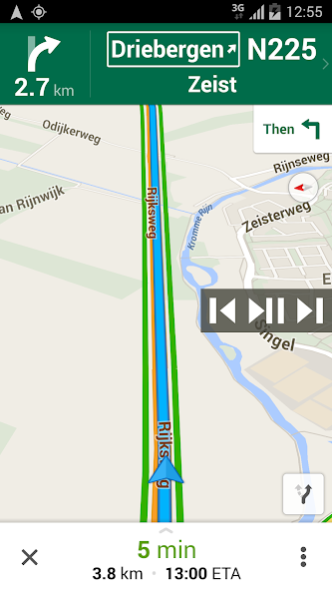
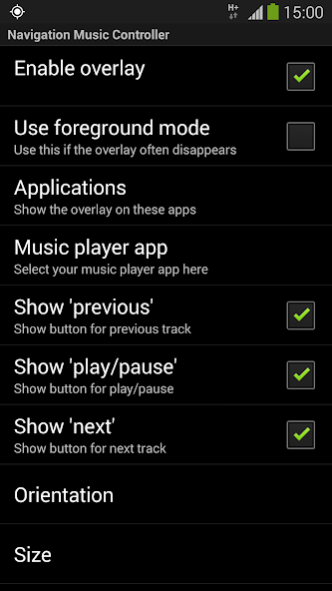
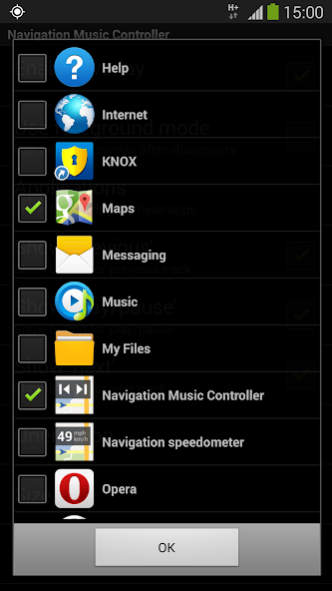
How to play, pause and skip music tracks in Google Maps or any other app (for example Navigon, TomTom, CoPilot, Skobbler, WhatsApp, Chrome) without switching to your music player app? This app automatically detects when Google Maps, Google Navigation or any other app of your choice is active and shows an overlay displaying music controls.
Features:
- No advertisements!
- No internet access necessary, no backdoors sharing your private information;
- Controls a music player app of your choice on your device;
- Compatible with many music player apps, like most stock music players, Google Play Music, Spotify, Deezer etc;
- It automatically shows and hides, depending whether Google Maps/Navigation (or any other app of your choice) is active or not;
- Three music controls: play/pause, previous track and next track;
- Choose between horizontal or vertical orientation;
- Adjustable transparency;
- Adjustable size;
- Adjustable position, just drag it anywhere you like;
- Can be used with any app installed on your device.
Please contact us if this application does not work properly on your device.
We will try to fix the problem for the next release.
This app uses Accessibility services. This app will only use Accessibility services to detect the current active app, so it can show the overlay with the apps chosen by you in the configuration.
Explanation of permissions:
Display system-level alerts
This app will remain active in the background (no battery drainage) and shows an overlay on top of Google Maps/Navigation while active.
Draw over other apps
With this permission the app is able to detect if Google Maps/Navigation is active.
About Navigation Music Controller
The company that develops Navigation Music Controller is Amphebia. The latest version released by its developer is 3.11.
To install Navigation Music Controller on your Android device, just click the green Continue To App button above to start the installation process. The app is listed on our website since 2017-11-20 and was downloaded 12 times. We have already checked if the download link is safe, however for your own protection we recommend that you scan the downloaded app with your antivirus. Your antivirus may detect the Navigation Music Controller as malware as malware if the download link to com.amphebia.navigationmusiccontroller is broken.
How to install Navigation Music Controller on your Android device:
- Click on the Continue To App button on our website. This will redirect you to Google Play.
- Once the Navigation Music Controller is shown in the Google Play listing of your Android device, you can start its download and installation. Tap on the Install button located below the search bar and to the right of the app icon.
- A pop-up window with the permissions required by Navigation Music Controller will be shown. Click on Accept to continue the process.
- Navigation Music Controller will be downloaded onto your device, displaying a progress. Once the download completes, the installation will start and you'll get a notification after the installation is finished.
Program Details
System requirements
Download information
Pricing
Version History
version 3.11
posted on 2017-11-20
The best way to control your music player from any app. Now with Android 8 support!
version 3.1
posted on 2015-11-17
The best way to control your music player from any app. Now with Android 5 and 6 support!,New in this version:,- Fix a bug where on Android 5 and 6 devices the overlay sometimes disappeared
